Starting a Wash
After scanning a QR code, you'll see the wash screen for that bay. Here's how to start your wash.
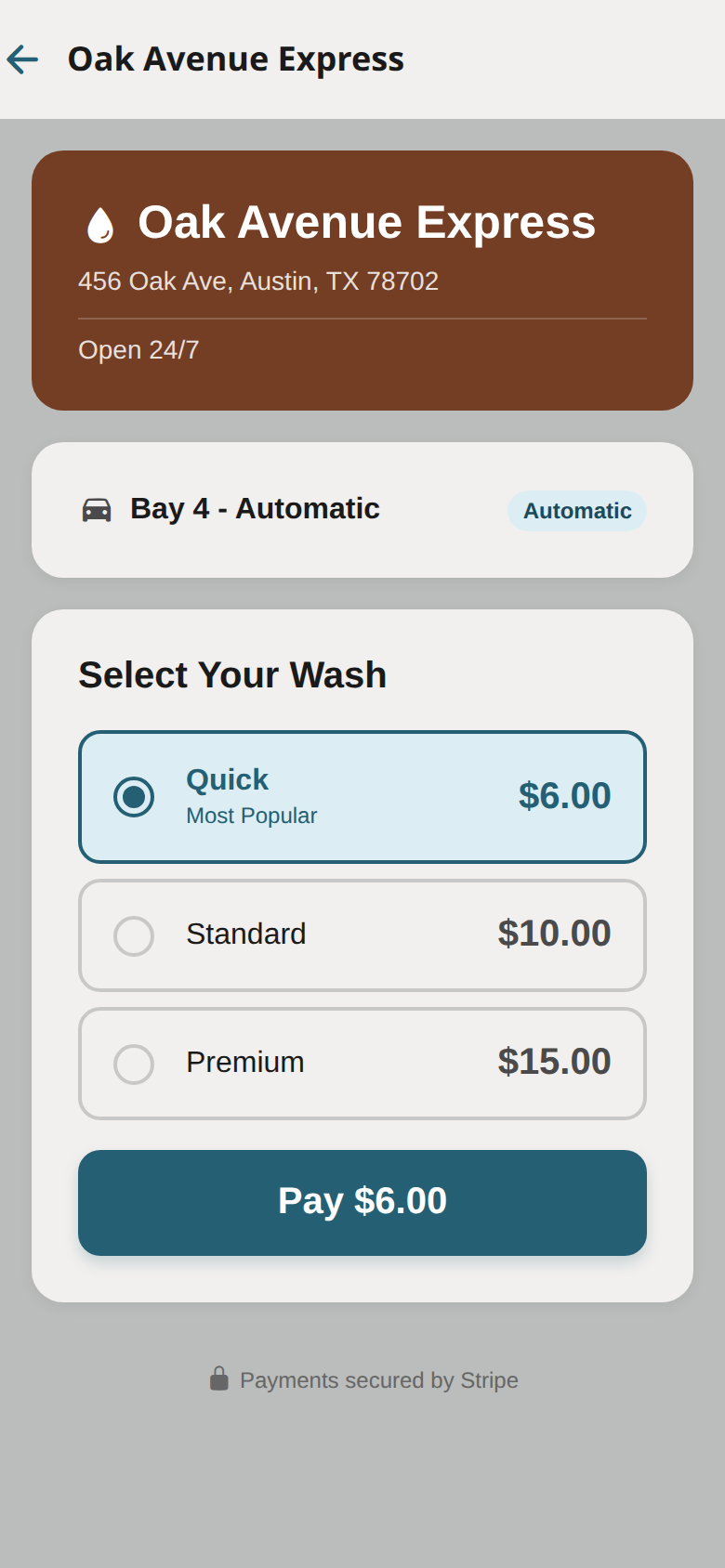
Wash Types
Depending on the location, you may see different wash options:
- Self-Serve — You control the wash. Timer starts when you begin and charges per second of use.
- Automatic — Select a wash package (e.g., Basic, Deluxe, Premium). Fixed price per package.
- Bundle — Use a pre-purchased bundle of washes. Select which bundle to redeem.
Starting a Self-Serve Wash
- Scan the QR code or navigate to the bay
- Tap Start Wash
- Your payment method is authorized (a hold is placed)
- The wash equipment activates — start washing!
- A live timer shows your running cost
- Tap Stop when you're done, or the wash stops at the maximum time
- You're charged only for the time used
Starting an Automatic Wash
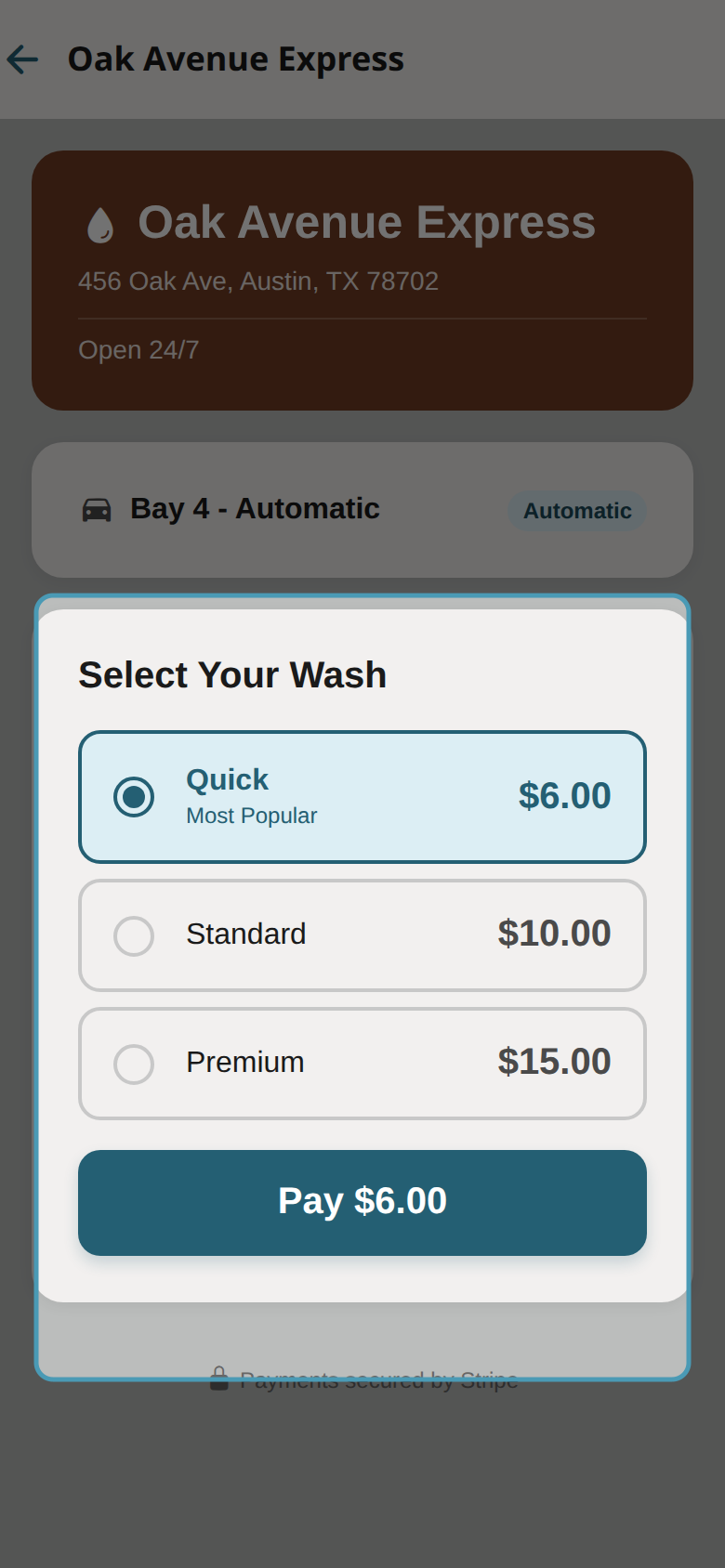
- Scan the QR code
- Choose a wash package from the available options
- Confirm your payment method
- Tap Pay & Start
- The automatic wash cycle begins
- Wait for the cycle to complete
Using a Bundle
- Scan the QR code
- If you have an active bundle, it will appear as an option
- Select Use Bundle
- One wash is deducted from your bundle balance
- The wash starts immediately
During the Wash
- You'll see a real-time status screen
- Self-serve shows a running cost counter
- Do not leave the wash bay until your cycle is complete
- If something goes wrong, use the Report a Problem button (red flag icon)