Revenue Dashboard
Track your car wash business performance with real-time analytics.
Accessing the Dashboard
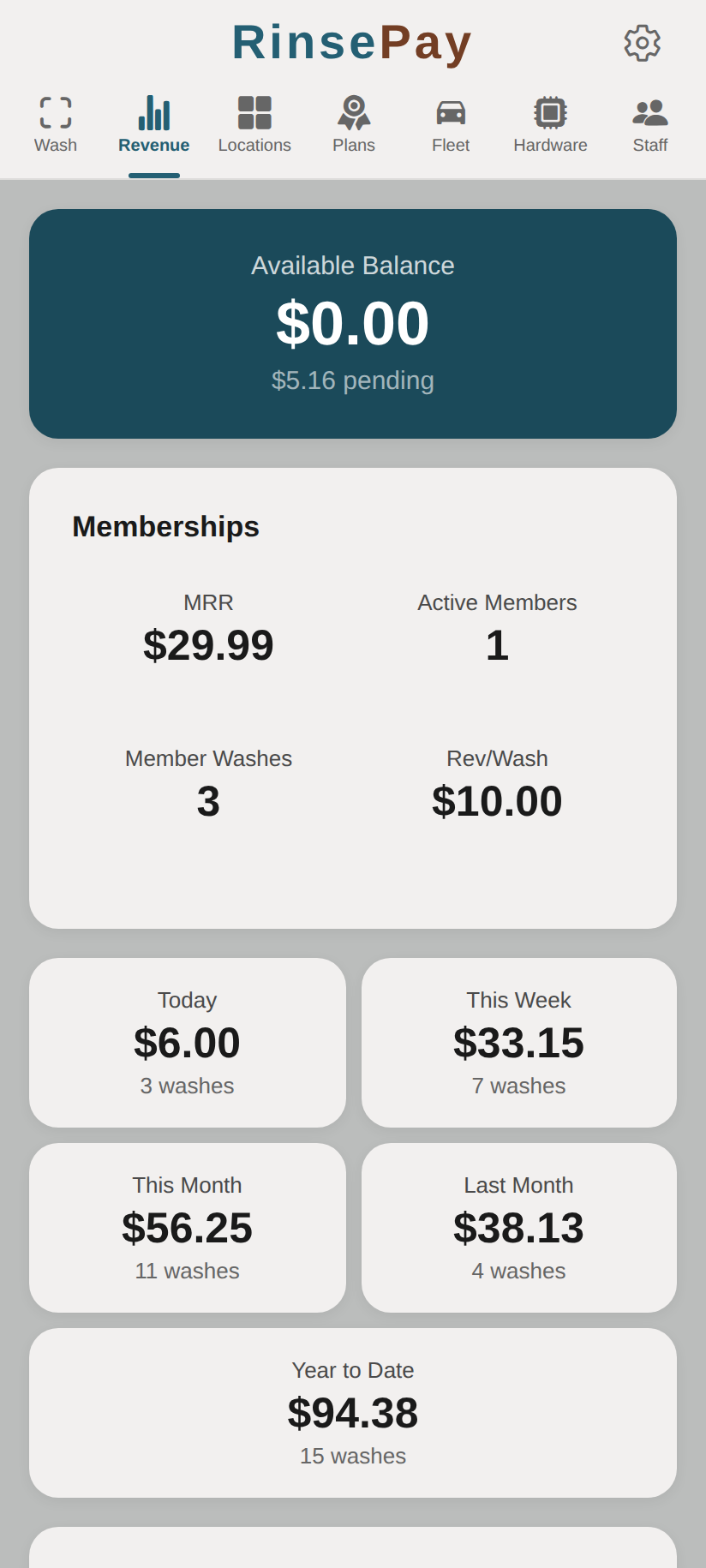
- Log in to your owner account
- Tap Revenue in the navigation sidebar
- View your business metrics at a glance
Dashboard Metrics
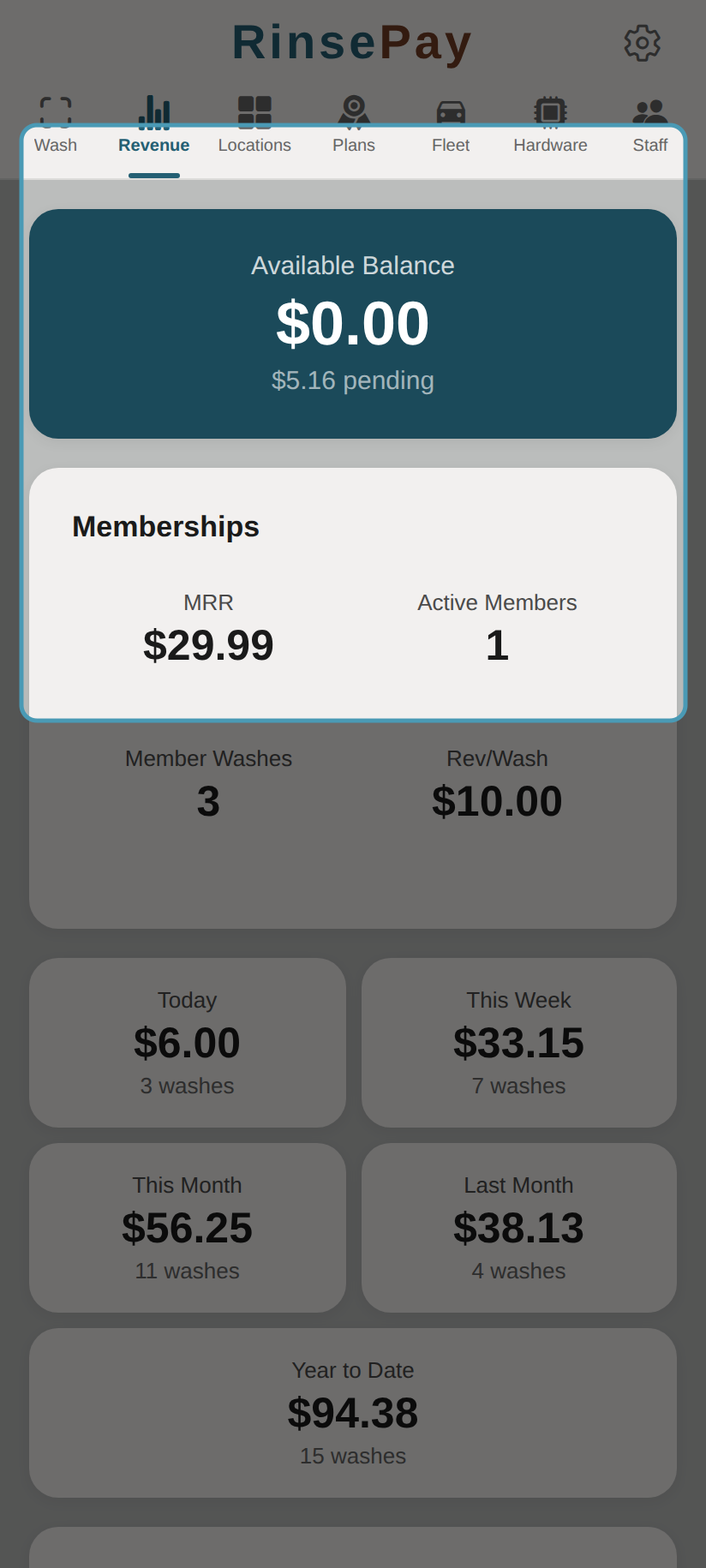
The top section shows your available balance and membership stats:
Today's Overview
- Total Revenue — Today's earnings across all locations
- Active Sessions — Currently running washes
- Transactions — Number of completed washes today
Location Performance
- Revenue breakdown by location
- Bay utilization rates
- Peak hours and trends
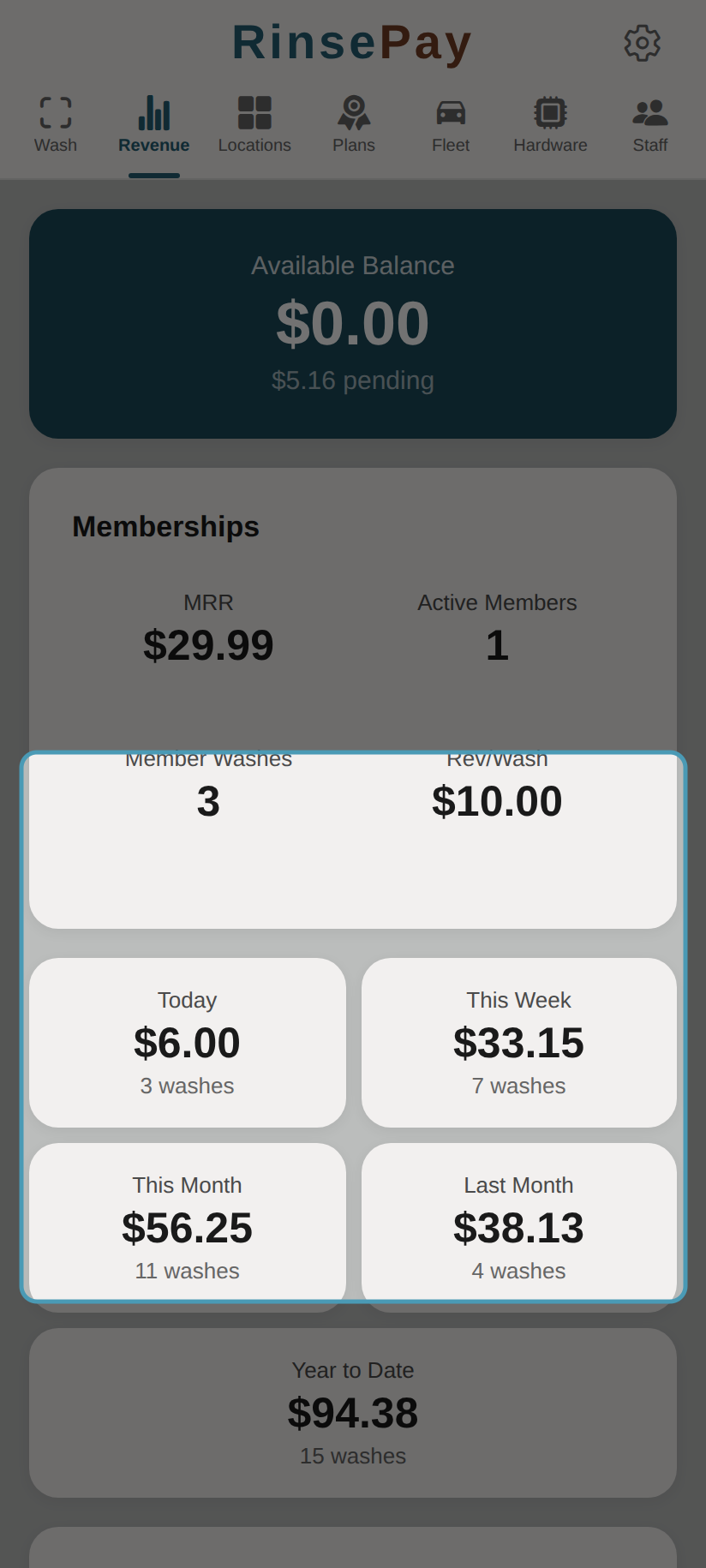
Time-period cards show revenue trends across different windows:
Reading the Data
- Revenue figures update in real-time as washes complete
- Compare performance across locations to identify your best-performing sites
- Use time-of-day trends to optimize staffing schedules
- Track subscription revenue separately from pay-per-wash revenue
Tips for Growing Revenue
- Place QR codes where they're easy to see and scan
- Offer subscription plans to encourage repeat business
- Use fleet accounts to capture commercial customers
- Monitor which bays and locations are underperforming
- Ensure controllers are online so no sales are missed